How it works
Cash In. Crypto or Gold Out.
Two minutes now, faster forever
Register in the Bitstop App before your first visit and skip the setup at the machine.
Register in the app
Create your account from the couch. When you get to the ATM it's just phone and PIN, straight to the purchase.
- Skip registration at the ATM, on every visit after
- See your personal limits before you go
- Receipts and history, always in your pocket

No phone handy? Register on the web
Find your ATM
Functions vary by machine. The map shows which ATMs do crypto and which do gold too.
Open the mapGrab a wallet
Buying crypto? Any wallet with a QR receive address works. Exodus, Trust, MetaMask.
The two-minute part
One machine, two ways out: crypto to your wallet or gold in your hand.
- 0:00
Tap “Buy Crypto”
The home screen asks what you'd like to do. Crypto or gold.
- 0:10
Choose your coin
Bitcoin, Ethereum, Dogecoin, XRP, Solana, and 10+ more.
- 0:20
Phone and PIN
That's the whole login.
- First visit onlySet your PIN and register at the machine, once. Zero if you registered ahead in the Bitstop App.
- 0:45
Scan your wallet
Open your wallet app, tap “Receive,” hold the QR code to the scanner.
- 1:05
Insert cash
The screen shows the live rate and exactly what you'll receive.
- 1:40
Confirm and send
Review amount, asset, rate, and address. Tap “Send.”
- 1:50
Get your receipt
Printed and texted. Crypto typically arrives within minutes.
GoldATM-enabled Bitstop ATMs. Find one on the map. Denominations vary by machine.
- 1
Tap “Buy Gold”
Right on the home screen.
- 2
Your phone number
That's the whole sign-in for gold.
- 3
Cash or debit?
Two ways to pay, two slightly different paths.
- With cashInsert bills. The machine dispenses Goldbacks to match what you put in and what it has in stock.With debitPick the exact Goldbacks you want, dip your card, authenticate, pay.
- 4
Goldbacks dispense
Real gold, in your hand, on the spot. No shipping, no vault account.
Watch it arrive
Your crypto goes straight to your own wallet.
Crypto lands
Bitcoin confirms in 10 to 30 minutes, most assets in under 5.
Receipt in your texts
A copy arrives by SMS alongside the printed one.
Track it live
Watch the confirmation happen in the Bitstop App.
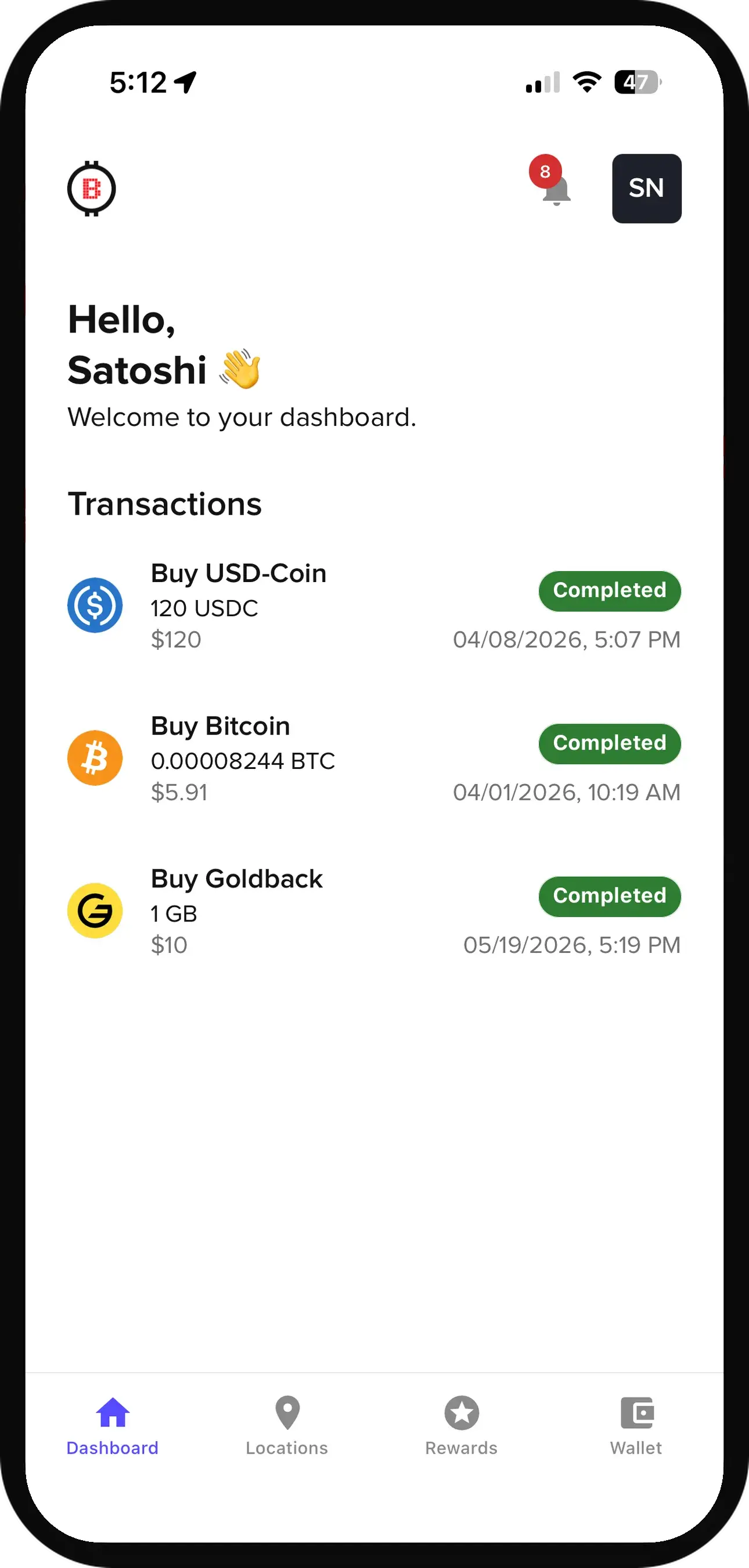
Everything else is in the app.
Your crypto goes straight to your own wallet. The Bitstop App is where you watch it happen and where your account lives.
- Watch your crypto arrive, from sent to confirmed
- Receipts and full transaction history, always in your pocket
- See your personal limits as a registered user
- Register once in the app and skip the machine steps on every visit
Pricing
Fees & Limits
Minimum Purchase
$10
Registration
Two Tiers
basic for small purchases, full for larger
Fee Display
On-Screen
before you confirm
Your Limits
In the App
exact numbers for registered users
No hidden charges. The screen shows the exchange rate and the fee as separate lines before you insert any cash. The exchange rate starts from the live market price; in some states it includes a markup of up to 4% (2% for stablecoins). Register in the Bitstop App to see your personal limits before you ever visit a machine. See Bitstop fees by state. Want the full picture? Read how Bitstop fees work and how to lower them. Buying digital dollars? Here's how to buy USDC with cash.
Frequently Asked Questions
How long does a transaction take?
Most transactions are completed in under 2 minutes. After you send, crypto typically arrives in your wallet within a few minutes depending on network conditions.
What is the minimum purchase amount?
The minimum purchase is $10. Daily limits depend on your registration tier. Registered users can see their exact limits in the Bitstop App.
Do I need to show ID?
Small purchases need just a verified phone number and basic details. Larger purchases require full registration, which includes a photo ID. The fastest way to complete it is in the Bitstop App before you visit.
Can I use any crypto wallet?
Yes. Any wallet that generates a QR code for receiving crypto will work: Exodus, Trust Wallet, Coinbase Wallet, MetaMask, and more. If you don't have one, we recommend Exodus.
Can I buy gold at a Bitstop ATM?
Select Bitstop ATMs are GoldATM-enabled and dispense physical Goldbacks. You can also buy gold-backed tokens (PAXG, XAUt) at these ATMs, or shop Goldbacks online at shop.goldatm.com.
How are fees determined?
Fees are displayed on-screen before you complete any transaction. There are no surprises. At Bitstop-operated ATMs, the screen shows the exchange rate and the fee as its own line item, so you see exactly what you're paying before you insert any cash. The exchange rate starts from the live market price. In some states it includes a markup of up to 4% (2% for stablecoins). The price locks in when you insert your first bill. See rates by state at bitstop.co/fees.
Who operates Bitstop ATMs?
Some Bitstop ATMs are owned and operated by Bitstop; others are owned and operated by independent operators who license Bitstop's software. At an independently operated ATM, the operator sets the exchange rate and any fee and is the seller of the crypto you buy. You can see who operates any ATM on the machine's help screen, on your receipt, and on the Bitstop ATM map.